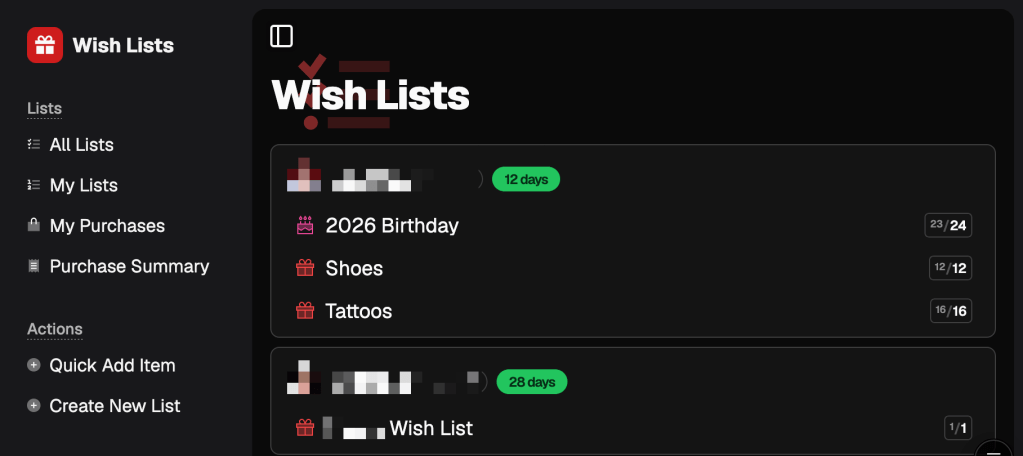
A couple of years ago, I built a wish list app for my family. Not for any market, just for the Hoffmans, specifically. Amazon had killed off Wish Lists. The family group thread had devolved into Apple Notes screenshots nobody could agree on. The kids had birthdays coming up. So I shipped a thing in a couple of weekends and called it “HoffStuff.”
It’s been running for about a year and a half now.
It started as just me, the niblings (gender-neutral for nieces and nephews, and saves a lot of words when you have several), my mom, my brothers, and the sisters-in-law. Eventually, the other grandparents wanted access, because that was where all the real items were going. By that point, HoffStuff had outgrown the use case for which it was originally built, and there was no going back. None of them had to use it; they just did.
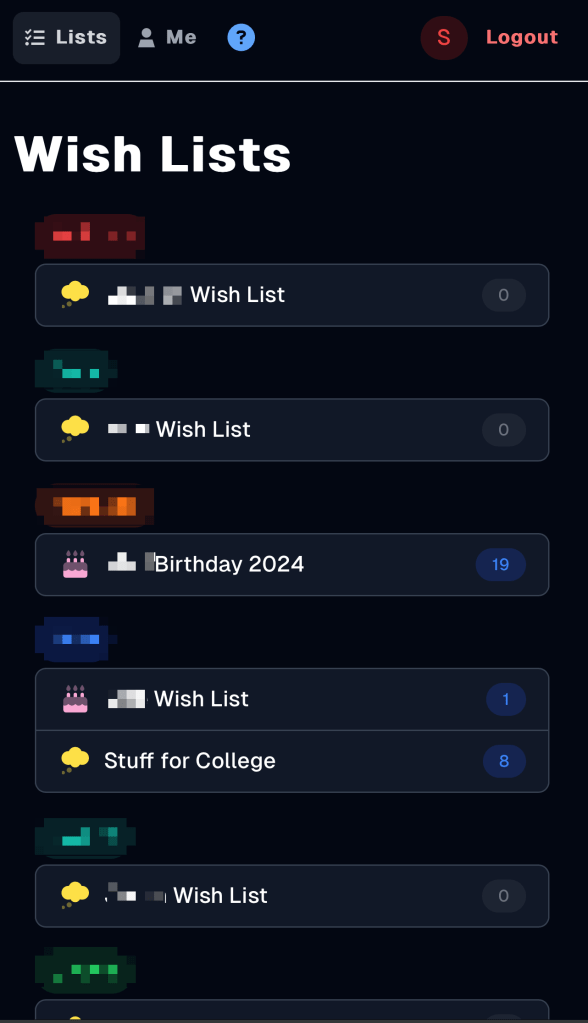
That’s enough time for a product to find its true user base. Mine, it turns out, is a bunch of people related to me by blood or marriage who have absolutely zero filter.
Family is the best customer because they don’t hold back, and no matter how much you plan for, people will always do weird stuff.
What follows is a partial selection of weird stuff, in roughly the order it happened.
The Amazon list inside the wish list
The household with the youngest niblings never really made the leap. The parents are busy, the kids are too young to self-curate a wish list, and Amazon was already where they did all their shopping anyway. They knew how to find a thing in the Amazon app and tap it onto a cart or an Amazon Wish List. Why would they learn a second motion for the same outcome?
So they did the most rational thing available to them: they came over to HoffStuff and added “their list” as a single item with a single link pointing to their Amazon Wish List. Thirty-eight gifts hiding on the other end of one harmless-looking URL.

I went back and forth on whether that was a feature request or a user error. The answer, eventually, was: it’s a feature request if you’ve heard the same user error three times.
So I built an Amazon list importer. Paste the URL, get a checkbox list of every item, and pick which ones to bring in. They kept doing the thing they were going to do anyway. HoffStuff just stopped fighting them about it.
The Apple Notes copy-paste dump
Adjacent category, different camp. A bunch of family members had been keeping wish lists in Apple Notes long before HoffStuff existed, and the muscle memory was deep. When they finally agreed to put their list “in the app,” it almost always happened at the eleventh hour before a birthday. The path of least resistance was: open Notes, select all, copy, open HoffStuff, click “Add Item”, paste the entire wall of unstructured text into the description field of one item, save, and text me to let me know they’re done.
Building an Apple Notes parser was less of a software project than a cultural one. Notes isn’t markdown, doesn’t have a schema, and every person has their own little system inside it. Some used bullets, some used numbered lists, some had paragraphs with a URL halfway through, and some used emoji as separators. The parser had to be flexible enough to find URLs and titles consistently across all of it, without ever telling anyone their list was wrong.
Now, if you paste a chunk of text into the add-item field, the app offers to parse it as separate items. Five seconds of work that used to be twenty minutes of retyping. The people who needed it didn’t notice it had been built. They just stopped pasting walls of text.
The mobile sharing ordeal
My 70-year-old mom kept calling me. “What’s the URL of the site again?” “How do I get this link out of the iPad over to the wish list thing?” The same two or three questions, over and over, for weeks. She’d find something on her iPad, want to put it on her list, and the actual mechanics of getting a URL from one app to another would lose her every time.
She’s not wrong to find that hard. Mobile is where productivity goes to die. But it’s also what everybody’s on most of the day.
You’re scrolling through Instagram, and you see something. You want to put it on your list. Long-press the URL. Copy. Switch to Safari. Wait for the page to load, since you opened it for some reason. Realize you wanted to add it to a list, not look at it. Switch apps. Open HoffStuff. Pick the right list. Tap add. Paste. Save.
By the time you’re done, the thing is gone from your head.
HoffStuff didn’t have a native iOS app (because I’m not an iOS developer, React Native sometimes, but I just couldn’t bring myself to do it), so the share sheet wasn’t really an option. Apple Shortcuts can grab whatever URL the share sheet hands it and then do mostly whatever you want with it. So I built one called “Add to HoffStuff.” Tap share on whatever you’re looking at, tap the Shortcut, and it takes the URL, appends it as a query string to my HoffStuff domain, and opens it. HoffStuff loads the URL and automatically kicks off the import. Two taps from “I saw a thing” to “it’s on my list.”

Within a week of shipping it, the Shortcut was being used more than the site’s “add item” button, mostly by my mom, who got it in one demo and stopped calling (as much). You can teach an old dog new tricks.
If your power users prefer a workaround you built for them over your actual UI, your actual UI is the workaround.
Madison’s social hour
Not all the feedback was complaints. Some of it was Madison, who has been a HoffStuff user since day one, asking, “Wait, where can I see what everyone’s been adding lately?”
She’d noticed something I hadn’t. The most interesting thing about the app, to her, wasn’t her own list. It was watching everyone else’s lists evolve. What the kids added this week. What new thing landed on my mom’s gift-ideas pile? What my brother had been commenting on, and what they were all saying.
Apparently, this is what people who like social media like about social media. I should have caught that one earlier.
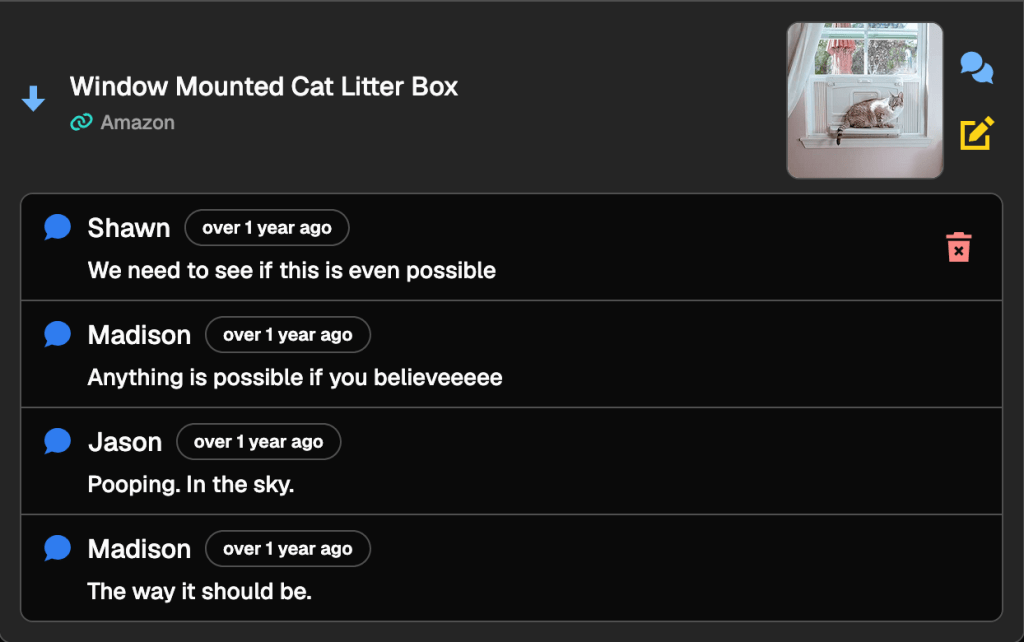
So HoffStuff got two new feeds: recent items and recent comments. They’re not algorithmic. They’re not pushy. They’re just a timeline of stuff that’s happened lately across all the lists you can have access to. It’s Madison’s favorite feature. She checks them frequently.
The masked email shenanigans
One day, my sister-in-law signed in to HoffStuff using Apple Sign-In. Apple, helpfully, offered to hide her real email address behind a private relay alias. She accepted.
She already had a HoffStuff account, of course. With her real email. Which was now also her email, just in disguise, on a brand new second account that HoffStuff had no way to recognize as a duplicate. Same person, same family, same items she was trying to claim against, but now also two separate users that the system thought were different people, with separate lists and separate claim histories.
Derp.
The fix wasn’t elegant. I had to build a whole flow for “this Apple relay account belongs to a real email that already exists, can we link them?” which is a sentence that nobody enjoys building a UI for. Verify ownership of the real email, merge the items, and kill the duplicate. It works now. It was weird to write. I don’t think I’ll add Sign In with Apple for something like this again.
Apple’s privacy features are wonderful. They are also exactly the wrong feature for a household-scale app where every user is, by design, supposed to be identifiable to every other user, including themselves, across two sign-in methods.
The case of the missing dad shoes
Some sites publish OpenGraph metadata. That’s the polite handshake that tells a wish list app the title, the price, and the image. Plenty of sites don’t, and that’s completely their call. Their site, their rules. I’m a guest passing through.
The family did not get it. The family cared about putting a pair of running shoes for dad on a list, and watching the price and image fail to appear.
For a stretch there, every time someone added a pair of shoes or one of the endless pairs of running shorts, the auto-fill came back with nothing. The site they were pasting from just didn’t publish what the app was asking for. HoffStuff was broken. The app was working as designed; the design responded to a page that didn’t expose metadata by returning an item without metadata.
The fix wasn’t elegant, but it was well-behaved. Try the cheap fetch first, because that’s the lightest possible ask. If a page renders its content with JavaScript, try a real headless browser so the page has a chance to do its thing. If there’s still nothing useful to extract, hand the user a clean form they can fill in by hand without it feeling like the app gave up on them.
The right answer when a site doesn’t want to be auto-filled is not to fight harder. It’s to ask the user one more question and make it feel like no big deal.
Family members do not know or care that this is happening behind a paste. They just know the dad-shoes show up now. That’s the only success metric.
The niblings’ minimum-viable entry
The niblings had the opposite problem from the grown-ups. They used HoffStuff plenty. Adding things to a list was easy; they were happy to do it. What they would not do was give me more information than they had to.
In the earlier days, the URL field had a button next to it that you had to tap to import the metadata for a link. The niblings, almost without exception, did not tap the button. A representative item from this era, in its entirety: “socks”, link to somewhere, the rest of the fields blank. Sometimes shorts. Typically no size provided.
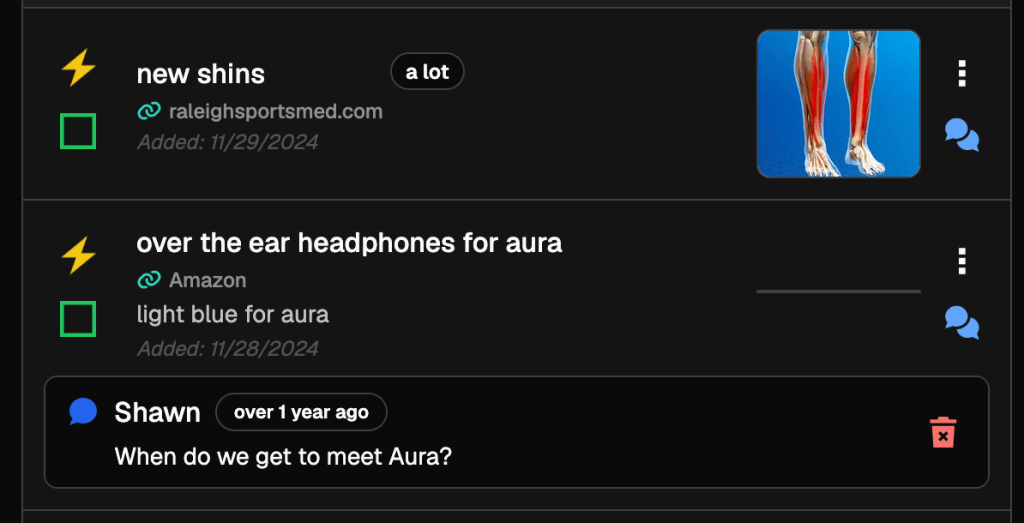
A few of the links also led to places an adult relative needed to gently step in front of before Grandma started buying. That turned out to be one of the unsung uses of the comments feature, which I’d built mostly as a “ask the recipient clarifying questions” channel rather than a “hey, don’t buy from scam sites” channel. The family used it for both.
Eventually, the import ran automatically on every paste, instead of waiting for a button tap. The niblings stopped tapping anything, the titles and prices would show up, and the average detail level on a nibling-authored item went up overnight without anyone changing their behavior. The fix wasn’t asking them to do more. It was assumed they would do the absolute minimum and meet them there.
Lightning round
A short coda of smaller things that landed in HoffStuff because of similar family-broke-it or family-needed-it moments:
- Markdown in item notes. For reasons I still don’t fully understand, family members regularly need to attach more than one link to a single item. “This one if it’s on sale, otherwise the other one.” “This in pink, this in blue, depending.” “These three but specifically the middle one.” A plain text field couldn’t hold it. Markdown could.
- Marking items unavailable. People add things and then forget about them. The site discontinues the product. The auction ends. The thing goes out of season. Without an “unavailable” state, gifters waste a Saturday afternoon trying to find an out-of-stock thing for a recipient who hadn’t logged into HoffStuff since June.
- One-off holiday types. Birthdays and Christmas were table stakes. Then the niblings started hitting high school graduations, which don’t recur. Then there were retirements. Then anniversaries. The schema needed to support one-off holidays alongside the annual ones, because the family was generating events faster than I was building list types for them.
The pattern under the pattern
All of these have the same shape, in retrospect. Someone does the “wrong” thing or asks for something the app doesn’t do. I roll my eyes. Then, eventually, I embrace the challenge and want it to be right. The annoyance is the signal. They’re doing the wrong thing because the right thing is harder. The wrong thing is just where the path of least resistance led them. Once that flips, the feature usually writes itself.
The flip is the part that took me a while. The first instinct is always to push back on the user, mentally if not out loud. “That isn’t how it works.” “They could just do X.” “It says right there on the screen.” All technically true, all completely useless once you accept that the person doing the wrong thing is not going to read your help text.
Family doesn’t open a GitHub issue for any of this. Hell, they don’t even send a screenshot. They text “hoffstuff is broken” with no context. Then they keep using HoffStuff in weird ways until I notice.
That’s why they’re the best customer. There’s no diplomatic framing layer between the failure and the report, so there’s none for me to decode before I can act on it.
The pile is getting interesting…
A little over 2 years is a long time to be marinating in honest, unfiltered, slightly chaotic feedback from a small group of people you love.
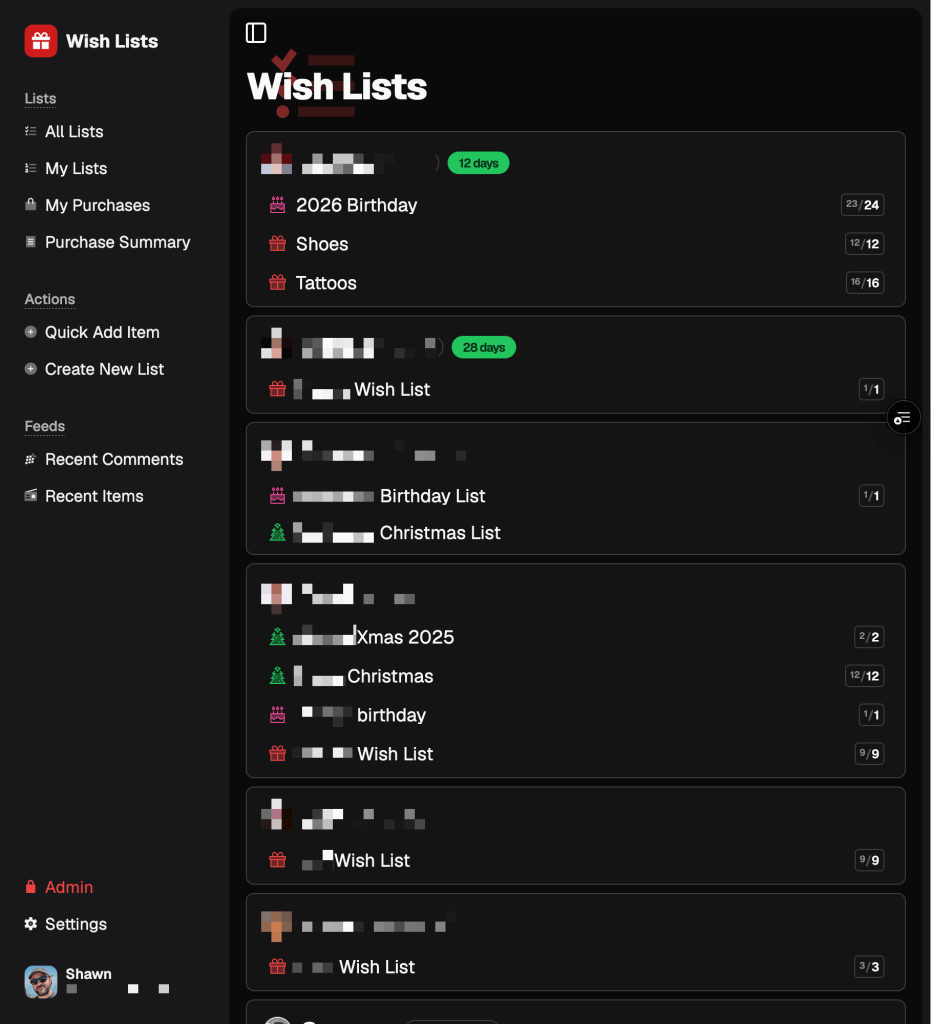
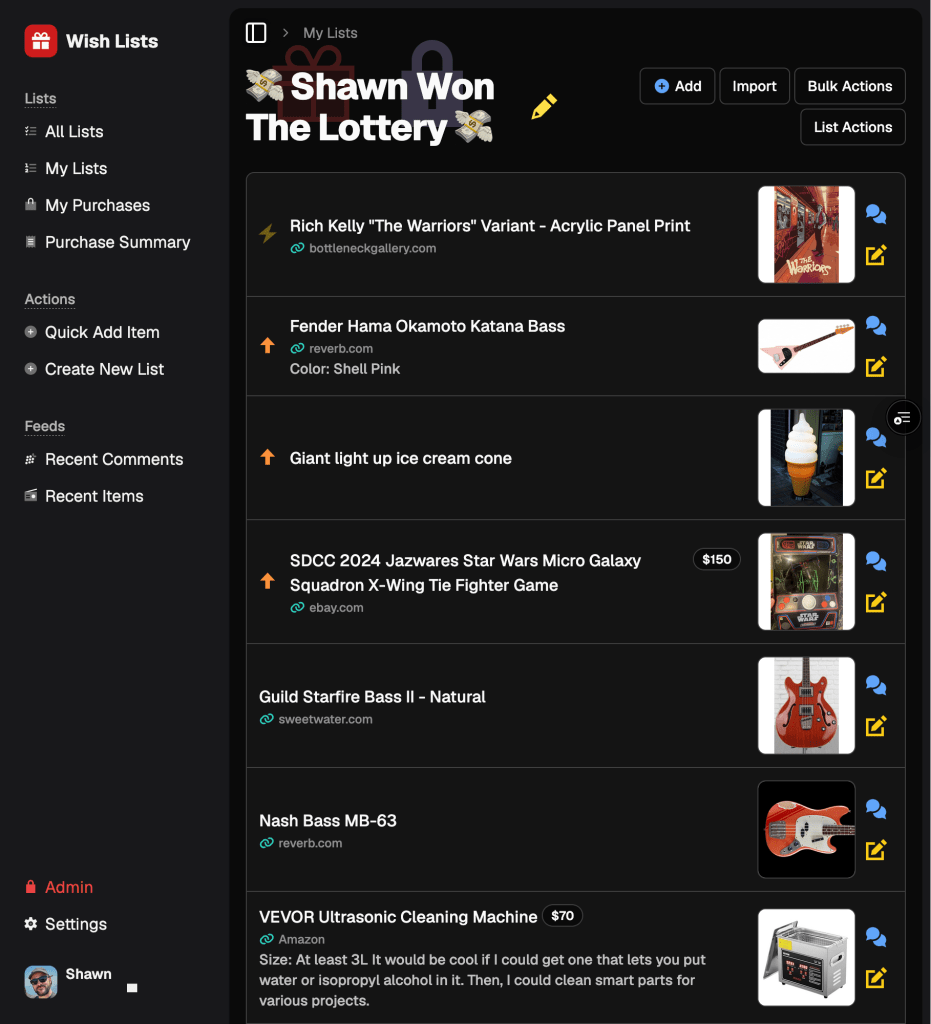
Most of it has gone directly into HoffStuff. The Amazon importer, the Notes parser, the share shortcut, the recent feeds, the account-linking flow, the polite scraping fallback, and so much more. Those are all small things. Each one is the residue of someone in my family doing something I didn’t plan for, and HoffStuff being shaped to absorb it.
The aggregate effect is that the lists got better. Items accumulate through the year instead of getting invented in a panic the week before Thanksgiving. I don’t have analytics on this (not worth implementing anything), but the complaints have gotten quieter, and people keep using it. That’s how I know it’s working.
The bigger things, though, the ones that wouldn’t fit cleanly as a feature inside HoffStuff, those have been quietly piling up in a different folder. Things that aren’t fixes. More like reshapes. The things I daydream about fixing at the most inopportune times. The kind of stuff that doesn’t survive a “just add a setting” treatment, because the setting would be the eighth one on the same page, and the page was already too long.
I’ve been building those. It now goes by a different name, has its own repo, and is positioned slightly differently toward the rest of the world. More on that soon...


Leave a Reply